Explore

Azure Entra ID: a fully rebuilt connector, and a merge with Azure Admin

By Matthieu Noirbusson
3 August 2026 • 3 minutes read
Let’s be frank: over the past few months, our Azure Entra ID connector has not lived up to your expectations. Some of you experienced slowness and occasional unavailability, and we saw it happen alongside you. Rather than patching around the edges, we made a different choice: rebuilding the connector entirely.
And we took the opportunity to simplify your day-to-day: Azure Admin and Azure Entra ID are merging into a single connector. One instance to configure, one vault, and much broader coverage.
Starting over on solid ground
We led this rebuild with two non-negotiables: performance and reliability. The new connector collects all its data through the Microsoft Graph API, Microsoft’s official, unified interface for querying a tenant, with short and stable response times — including on tenants with several thousand applications.
Another change of philosophy: when a permission is missing, the connector no longer fails with an obscure error. It tells you explicitly which permission to grant in your tenant. In other words, no more sensors in error without explanation: you know immediately what to fix, and where.
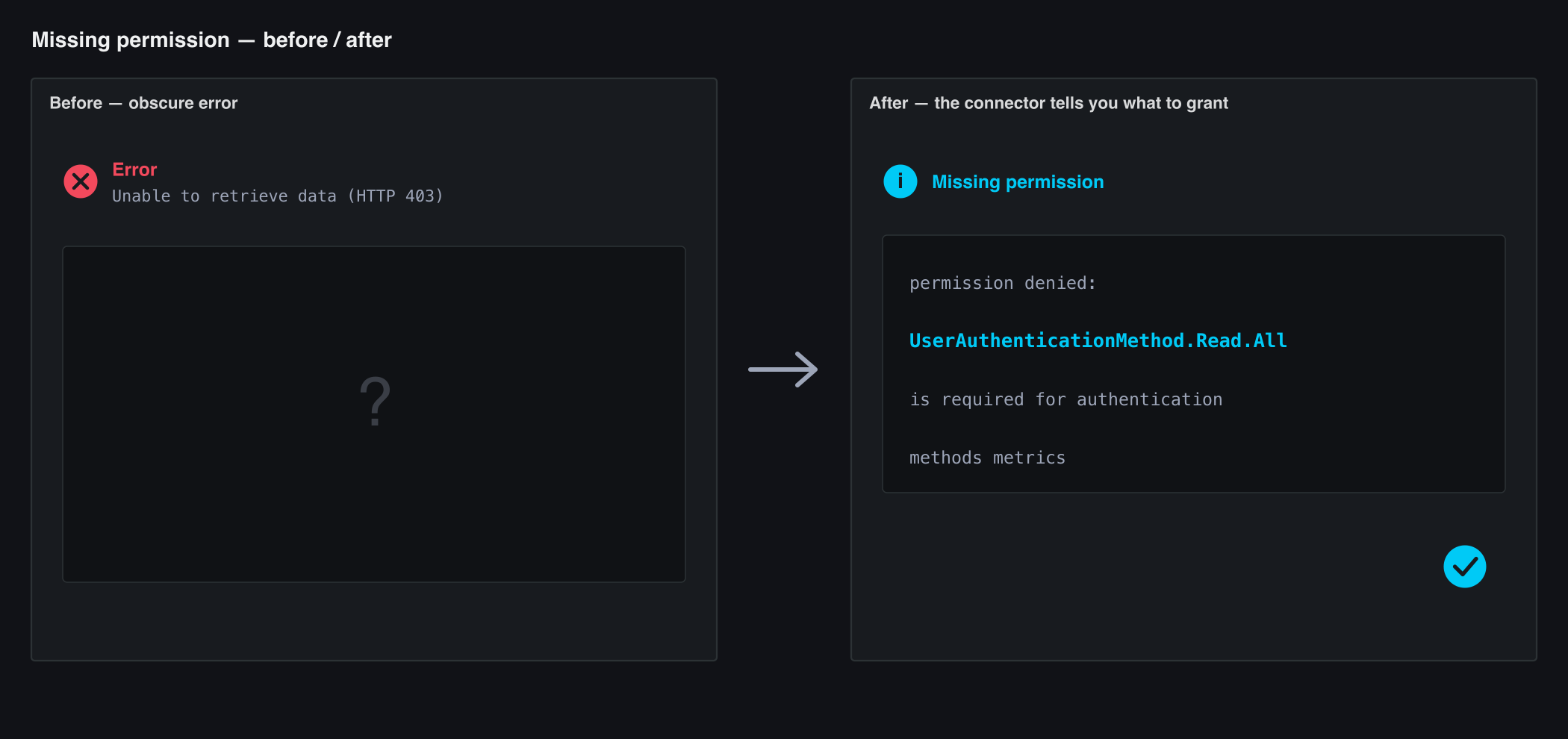
The connector names the exact permission to grant.
Two connectors become one complete view of your tenant
Until now, monitoring your directory was split between two connectors: Azure Admin on one side (certificates, secrets, directory synchronisation), Azure Entra ID on the other. The new connector brings these use cases together and adds new ones, for a complete read-only view of your Microsoft Entra ID tenant (formerly Azure Active Directory):
- Identities and licenses — active and disabled accounts, guests, accounts inactive for 30 or 90 days, licenses assigned per SKU and an estimate of the cost of unused licenses.
- Security posture — directory roles and global admin count, Conditional Access policies, risky users, MFA coverage (MFA rate, admins without MFA, SMS-only accounts), audit of OAuth2 permissions granted to applications.
- Privileged access — eligible versus permanent role assignments through Privileged Identity Management, and permanently assigned global admins.
- Inventory — groups (Microsoft 365, Teams, security, dynamic, empty), devices by operating system (compliant, managed, stale), applications and the state of their credentials.
- Service health — Microsoft Entra status, active incidents and advisories.
Each item type is an independent sensor: you only enable what you need, with only the matching Graph permissions.
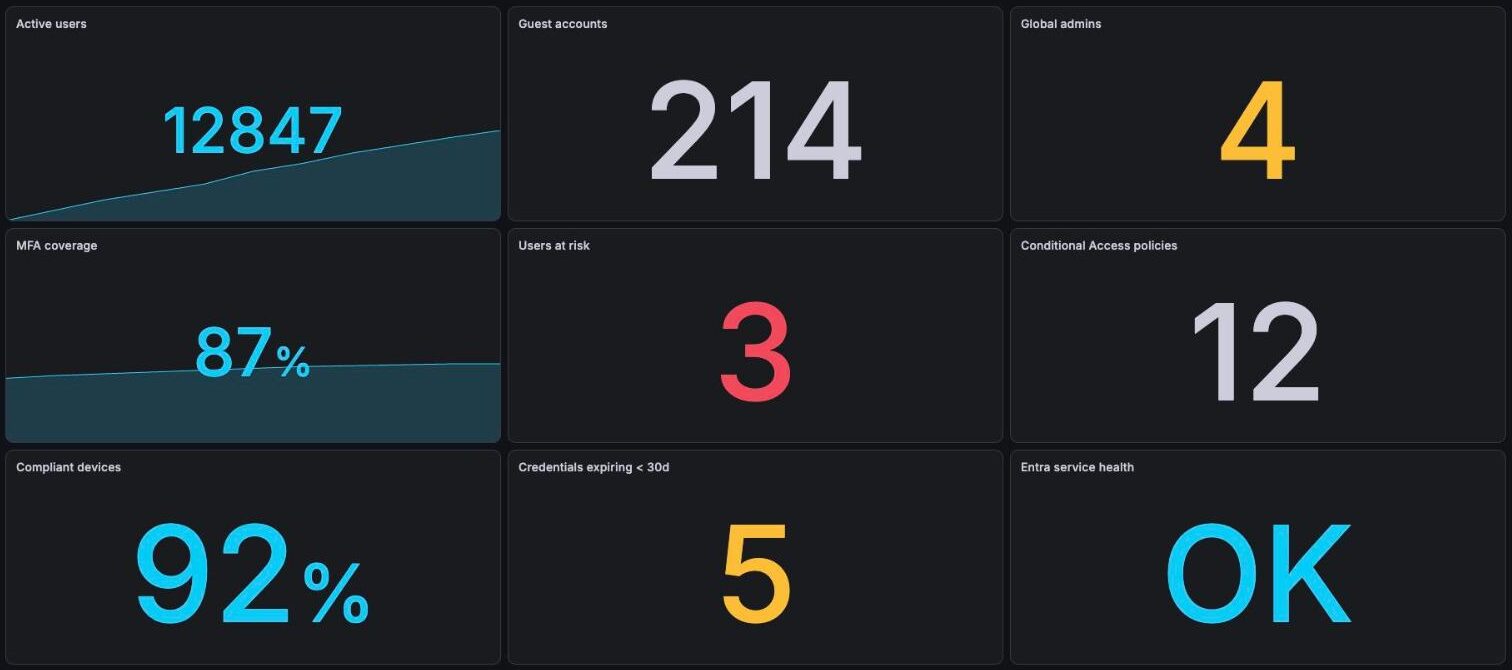
A 360° view of the tenant — each family is an independent sensor.
The historic use case, made better
Certificate and secret monitoring remains the heart of the connector: catching an expiring credential before it breaks an authentication. It gains three long-awaited capabilities:
- Enterprise apps scope — beyond your app registrations, the connector now watches the SAML signing certificates of your SSO applications. An expired SAML certificate means SSO down for every user: better to see it coming.
- One channel per certificate or secret — beyond the overview, you can track each credential individually, with stable naming that avoids collisions.
- Include and exclude filters — to track only the applications that matter, by name or by id.
The merge: nothing to do on your side
This is the important part of this announcement: the switch-over of your existing instances will be driven automatically by our team. Your current Azure Admin and Azure Entra ID sensors will be migrated to the new connector progressively and transparently — no instance to recreate, no break in your history, no action required on your side.
Timing-wise, the merge will roll out over the coming weeks, and we will notify each affected account individually before its wave. The only case where we will need your administrator: if you want to enable the new item types, some additional Graph permissions must be granted in your tenant — they are detailed type by type in the documentation, and you only grant what you use.
The full documentation is available here: Azure Entra ID connector, and vault creation is described on the Vaults page.
While I am at it: this documentation has been rebuilt too — a new platform, real output samples for every connector, a permission table per item type and a troubleshooting guide. The connector and its documentation were redesigned together.
And for any question about the merge or enabling the new sensors, our team is at your disposal.
Newsletter
Senhub is constantly evolving. New connectors are available regularly. Keep up to date by subscribing to our newsletter.
Related articles
View all articles 










You can have a look at Senhub,
right now
A proof of concept is worth all the big explanations. You can try Senhub now, with no commitment.
Simply create your account (no credit card required) and start monitoring your cloud assets with your very own monitoring tool.
If you have any questions, send us an e-mail at contact@senhub.io or open our chat window to talk to one of our Senhub buddies.